Create Virtual Reality
VR-Plugin for Autodesk Maya
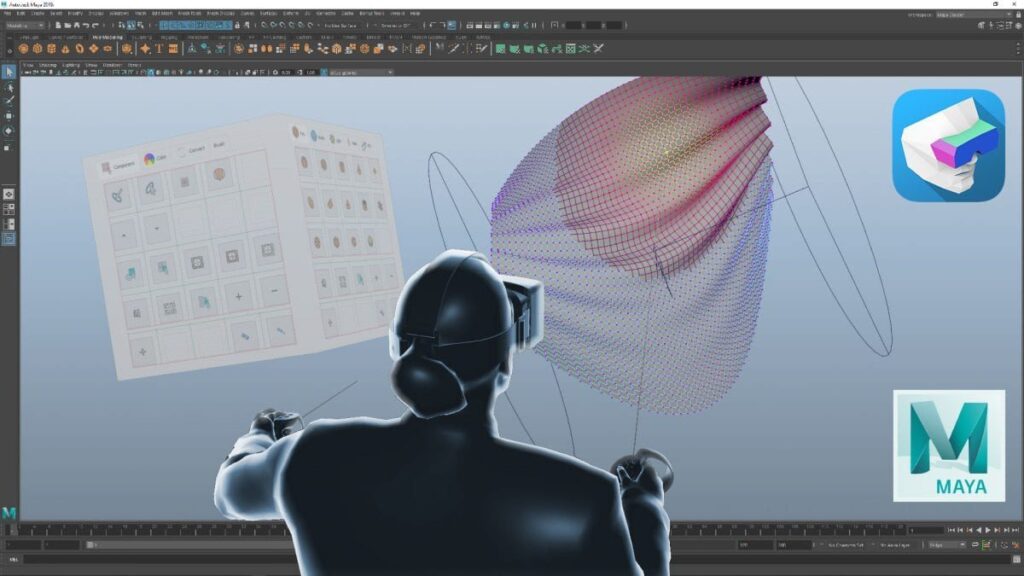
VR-Plugin for Autodesk Maya offers a tool-chain for artists to work with Virtual Reality. Create and explore digital assets in VR, instead of a 2d screen and increase your productivity and efficiency.
VR-Plugin offers the full range of Maya features in Virtual Reality. Virtual Production Workflows for Animation, Modeling, Texturing, Shading, Rendering or Digital Sculpting are directly available in VR and introduce unique ways for creativity.
Speed and performance are the great advantages of the Maya Viewport 2.0. Benefit from full lighting and shading support with Virtual Reality. VR-Plugin transforms your workspace to virtual within seconds.
The stereoscopic view gives you a precise and natural impression of
scene scale and proportion. Experience the entire depth of
Virtual Reality in the most intuitive way. HMD movement can be recorded as camera animation, hand controllers are recorded as locators.
VR-Plugin offers a seamless pipeline integration. The native implementation into Maya grants compatibility with most scripts and plugins. A huge number of 3rd party tools work great in VR and the functionality can be easily integrated into the VR UI.
A very promising plugin I just tested the trial version and loved the fact that I was inside the environment that I created. This plugin is very promising and the potential of future 3d designing in VR. I loved the initial test and experience.”
Rashed Rastegar – Autodesk App Store Customer Review
Release 5.4 Is Wonderful Have been using and tracking this product through several releases and this one hits the mark. Easy to install, works with 2018 and with my 1080ti is lag free. Highly recommended if you are building for VR.”
Paul Gullett – Autodesk App Store Customer Review
A really awesome Plugin for VR Artists! Great tool to check proportions and animaions of your creations for VR! No problems with installing, really easy to use (You basically have to do one Click and can check out your model in VR). Locomotion with Gamepad also works great. Nice work!”
Annabelle Adamek – Autodesk App Store Customer Reviev
Try VR-Plugin Today
Free Trial
- View and edit your scene in VR
- Use full features for 7 days
- Limited customer support
- Not for commercial use
Completely Free
Monthly License
- View and edit your scene in VR
- Use full features for 30 days
- Including software updates
- Limited customer support
- Not for commercial use
For only $29.90

Annual License
- View and edit your scene in VR
- Use full features for 365 days
- Including software updates
- Full customer support
- Commercial license
For only $399
Floating and Volume license are available. Please send your request via email
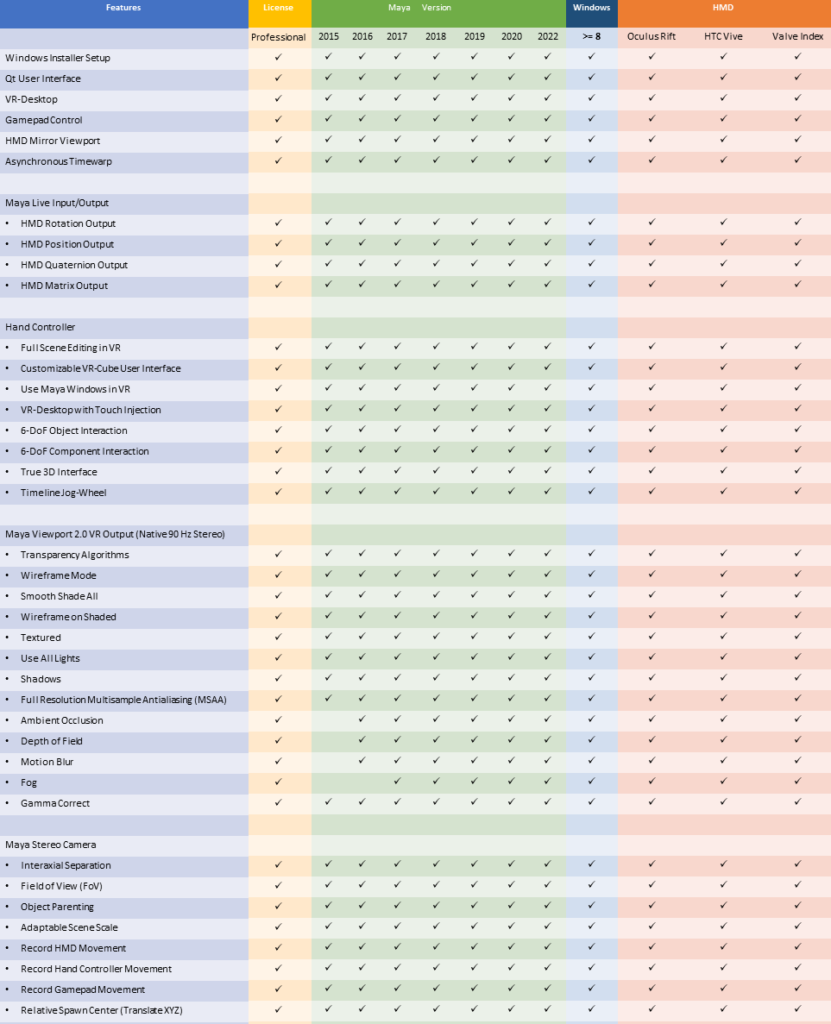
Feature Matrix
Featured here


Media
Use Case Videos